Do Not Move Guests Report
The Do Not Move Guests report allows users to track the reservations marked as Do Not Move, for the selected date range.
Perform the following steps to generate the report:
Navigate to Reports ➜ Dynamic Reports ➜ Guest/Reservations ➜ Do Not Move Guests report
Refer to the following table and fill in the fields.
|
Field |
Description |
|---|---|
|
Report Name |
Do Not Move Guests report |
|
Property |
The property associated with the reservation |
|
Start Date |
The date from which the report must be generated |
|
End Date |
The end date until when the report must be generated |
|
Room Type |
The room types of the reservations marked as Do Not Move |
|
Reservation Status |
The reservation status of the applicable reservations |
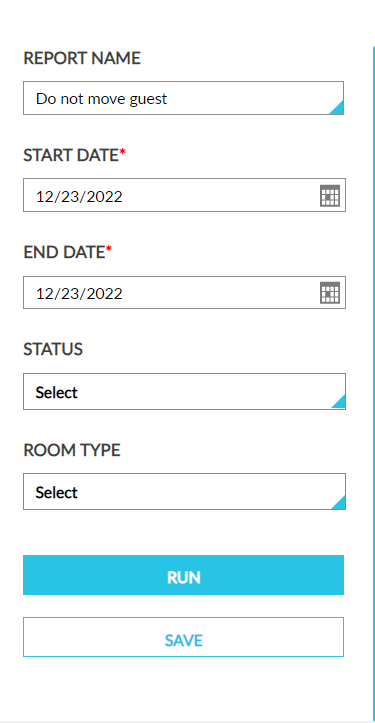
Click Run to generate the report.
Click Save to save the report under User Favorites section.
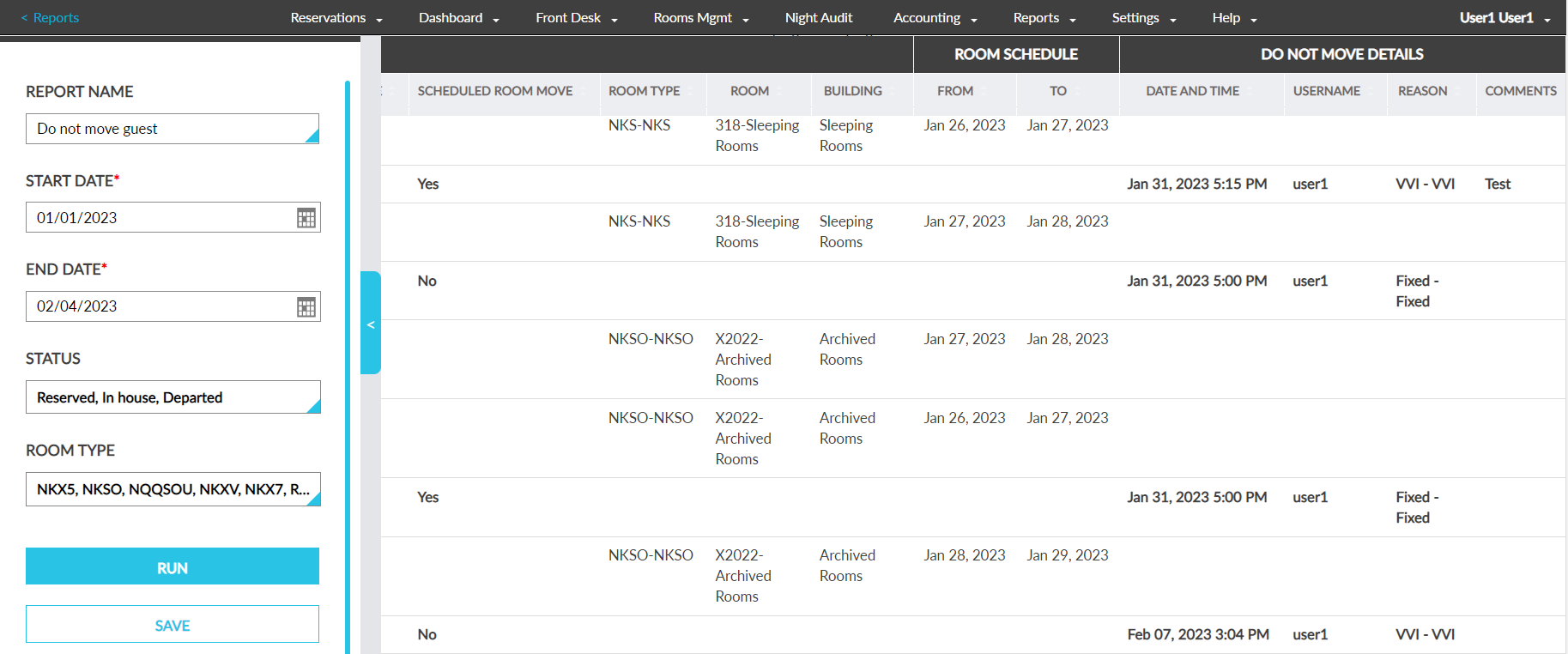
Sample Report
Report Fields
This report displays the following fields:
|
Field |
Description |
|---|---|
|
Confirmation Number |
Reservation confirmation number of the reservation in which Do not move guest is enabled |
|
Guest Name |
Name of the Guest in the reservation or room in which Do not move guest is enabled |
|
Arrival |
Arrival date of the reservation in which Do not move guest is enabled |
|
Departure |
Departure date of the reservation in which Do not move guest is enabled |
|
Status |
Status of the reservation in which Do not move guest is enabled |
|
Scheduled Room Move |
indicates whether a scheduled room move is available in the reservation in which Do not move guest is enabled |
|
Rooms Schedule |
shows the information on the SRM reservation schedules
|
|
Room Type |
Room type assigned for the reservation in which Do not move guest is enabled |
|
Room |
Room number assigned for the reservation in which Do not move guest is enabled |
|
Building |
Name of the building in which the room is located |
|
Do Not Move Details |
Shows all the details regarding when Do not room move is enabled.
|